











Office Supplies: Consumer tips
Modern offices are increasingly digital, but paper still has a role for notes, contracts, invoices, labels and printed reference materials. The aim is not to remove every sheet of paper, but to create a workspace that supports both digital and physical organisation.
Start with an organised desk setup
A clear desk can make it easier to focus, particularly in a home office where work and personal life may share the same space. Choose a desk with enough room for your monitor, keyboard, notebook and essential supplies, while leaving space to write comfortably.
Cable trays, monitor stands, drawer organisers and document holders can help keep frequently used items within reach without creating clutter. If you use a laptop for extended periods, a laptop stand with a separate keyboard and mouse can improve screen height and desk comfort.
For hybrid working, portable essentials such as a compact charger, headset, notebook, document wallet and USB-C hub can make it easier to move between home and workplace.
Useful everyday desk supplies include:
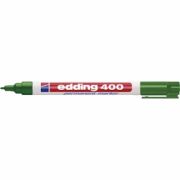
- Pens, pencils, highlighters and correction tape
- Notebooks, sticky notes and planning pads
- Printer paper, envelopes, labels and folders
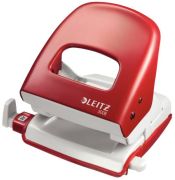
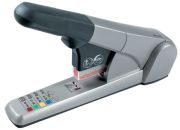
- Staplers, hole punches, paper clips and binder clips
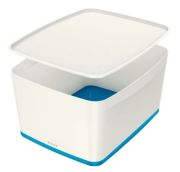
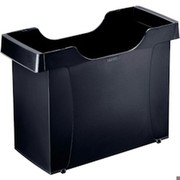
- Desk trays, drawer organisers and letter holders
- Cable clips, chargers and USB-C adapters
- Headsets or webcams for video calls
- External SSDs or encrypted USB drives for secure local file transfer where needed
Cloud storage and collaborative tools are now the main way many teams share documents. However, an external SSD or quality USB flash drive can still be useful for backups, transferring large files or storing information securely offline. For confidential work, use encrypted storage and follow your employer’s data-security policy.
Desks and seating: prioritise comfort and ergonomics
Office furniture has a direct impact on comfort, posture and concentration. A desk should be stable, suitably sized and positioned to allow a comfortable working posture. Height-adjustable desks can be useful for alternating between sitting and standing, although changing position regularly matters more than standing for long periods.
An adjustable office chair is a worthwhile investment for anyone who spends several hours a day at a desk. Look for adjustable seat height, back support and armrests where they suit your working position. Your feet should rest flat on the floor or on a footrest, while your screen should be positioned so you are not repeatedly bending your neck.
In the UK, employers have duties to assess display screen equipment (DSE) workstations for staff who regularly use them. Home workers should also apply the same practical principles: make the workspace adjustable, take regular breaks and avoid working for long periods from a sofa, bed or dining chair.
When choosing desks and chairs, consider:
- Available space and the desk’s load capacity
- Adjustable chair height and lumbar support
- Screen height and viewing distance
- Cable management and nearby plug sockets
- Storage for documents and equipment
- Easy-clean, durable surfaces
- Whether electrical equipment is supplied with a UK plug
Filing, storage and document management
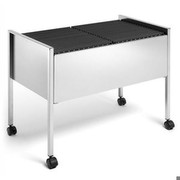
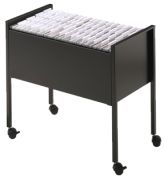
A good storage system should suit the amount of paper you genuinely need to keep. Labelled folders, archive boxes, filing cabinets and shelving are useful for important records, reference materials and paperwork that must be retained in physical form.
For documents that can be digitised, a scanner or multifunction printer can reduce paper storage. Name digital files consistently, back them up securely and use folders or document-management software that colleagues can understand. Avoid relying on a single device or USB drive as the only copy of important information.
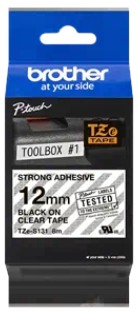
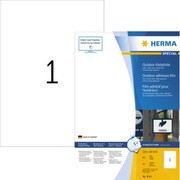
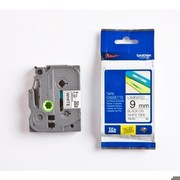
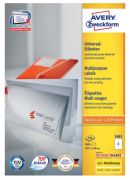
Labels are useful for files, storage boxes, stock, cables and equipment. Printable label sheets and label makers can create a more consistent system, especially in shared offices, workshops and small businesses.
Printing, cutting and finishing equipment
Printers, scanners, laminators and paper cutters remain useful for many workplaces. A multifunction printer can be a practical choice where you need to print, scan and copy documents without buying separate devices. Before choosing one, compare not only the purchase price but also replacement ink or toner costs, print speed, wireless connectivity and automatic double-sided printing.
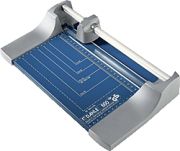
Paper cutters and guillotines are useful for regular trimming of posters, cards, labels or marketing materials. For occasional home-office use, a compact rotary trimmer may be safer and easier to store than a large guillotine. Laminators can protect notices, reference sheets, menus, ID cards and reusable signage.
Shredders and confidential waste
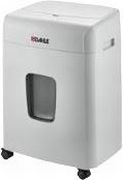
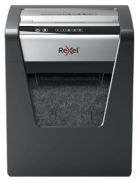
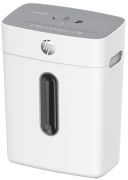
A shredder is useful for disposing of documents containing personal, financial or commercially sensitive information. Under UK data-protection requirements, organisations should handle personal data securely throughout its lifecycle, including disposal. Choose a shredder with an appropriate security level for the type of documents you handle, and follow workplace policies for confidential waste.
For home use, a cross-cut shredder is generally more secure than a strip-cut model. Businesses handling sensitive personal data may need a higher-security model or a professional confidential-waste service. Check the manufacturer’s security classification, bin capacity, run time and maximum sheet capacity before buying.
Many shredders can also destroy staples, paper clips and bank cards, but always check the instructions. Optical discs are now a specialist legacy format, so disc-shredding capability is rarely an essential feature for a modern office.
Office supplies buying checklist
- Choose a desk and chair that support comfortable daily working.
- Keep frequently used stationery organised with trays, drawers and desktop storage.
- Use cloud storage for shared files and an external SSD or encrypted USB drive for suitable local backups.
- Select labels, folders and archive boxes to create a consistent filing system.
- Compare printer running costs, not just the initial price.
- Choose a cross-cut shredder for confidential household paperwork.
- Check business prices for VAT status and electrical equipment for UK plug compatibility.
- Consider reusable, refillable and recycled office supplies where practical.
- Keep cables, chargers and video-call equipment accessible for hybrid working.