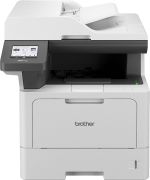
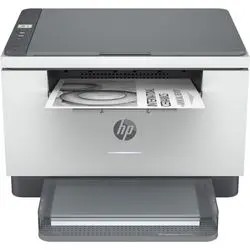
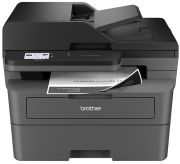
All-in-one laser printers: Consumer tips
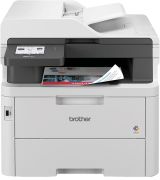
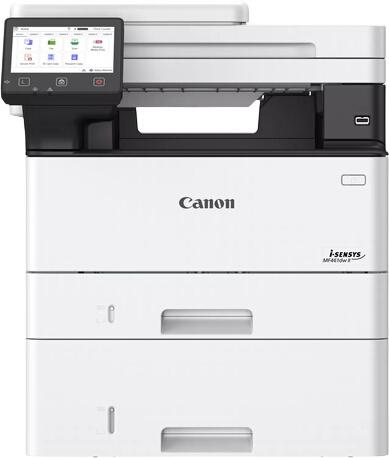
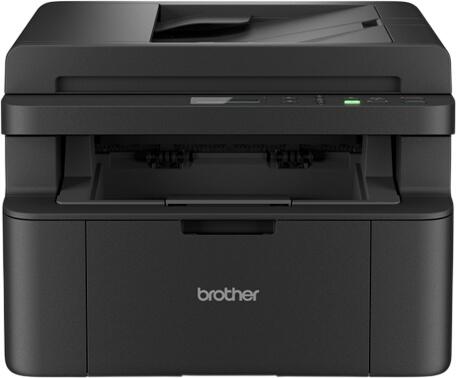
An all-in-one laser printer is usually the right fit if you print lots of text documents, shipping labels, school work, forms, invoices or black-and-white handouts and want fast, clean output with less day-to-day fuss than an inkjet. If your priority is high-quality colour photos, an inkjet is still often the better choice.
How does a laser printer work?
A laser printer uses toner rather than liquid ink. In simple terms, the printer creates an electrostatic image on a drum, applies toner to the charged areas, and then fuses that toner onto the paper using heat. This produces crisp text, sharp lines and fast page output, which is why laser printers remain popular in offices and busy home setups.
Some models use traditional laser-based imaging, while others use LED print technology, which works on a similar principle but with a different exposure system. For most buyers, the more important point is not the exact imaging method but the overall print quality, reliability, running costs and feature set.
Laser vs inkjet: which is better?
The better choice depends on what you print most often.
Choose an all-in-one laser printer if you want:
- fast text printing
- sharp letters and clean business documents
- lower hassle for occasional use, as toner does not dry out like ink can
- better suitability for frequent document printing
- strong value for school, admin and office paperwork
Choose an all-in-one inkjet printer if you want:
- better photo printing
- richer colour output on photo paper
- a lower upfront price in some entry-level models
- occasional mixed use with more emphasis on images than text
For many UK buyers in, a monochrome laser all-in-one is the smartest buy for routine paperwork, while a colour inkjet still makes more sense for photo-heavy households and creative work.
Print quality: what should you really look for?
Resolution still matters, but for most laser buyers it should not be the only or even the main decision point.
For text documents, even entry-level laser printers can produce very sharp and readable output. If you mainly print letters, contracts, revision notes, labels or worksheets, you do not need to chase the highest advertised dpi figure. More useful real-world checks are:
- how crisp small text looks
- whether graphics and charts print cleanly
- consistency across large print jobs
- toner cost and replacement yield
- whether colour output is good enough for presentations, if you are buying a colour model
In short, resolution figures are best treated as a supporting specification, not the headline reason to buy one model over another.
How fast should a laser printer be?
Print speed should be matched to your actual workload. Older advice suggesting that 10 ppm is enough and 20 ppm is recommended is now too basic for buying guidance. Many modern laser all-in-ones comfortably exceed that, especially in monochrome.
Instead of relying on a single benchmark, think about:
- how often you print multi-page documents
- whether several people will share the printer
- whether first-page-out time matters
- whether automatic duplex printing slows performance noticeably
- the recommended monthly print volume, not just peak duty cycle
For a light-use home setup, modest speeds can still be perfectly fine. For a busy home office or small business, a faster model with a decent paper tray and automatic document feeder will usually be worth paying for.
What functions matter most in an all-in-one laser printer?
Automatic duplex printing
Automatic double-sided printing is one of the most useful features to have. It saves paper, cuts filing bulk and is especially handy for reports, contracts and school materials.
Scanner and copier features
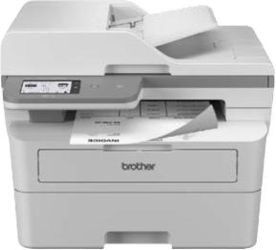
Do not just check that the printer scans and copies; check how well it does those jobs. An automatic document feeder (ADF) is a major convenience if you regularly scan or copy multi-page documents. If you scan IDs, receipts or forms often, ease of use can matter more than headline scan resolution.
Connectivity
USB is still useful for direct wired setup, but many buyers now expect more flexible options. Depending on the model, useful features are:
- Wi‑Fi
- Ethernet
- Apple AirPrint
- Mopria
- manufacturer mobile apps
- Wi‑Fi Direct
- scan to email, network folder or cloud storage
- secure PIN printing on office-oriented models
What should UK buyers check before purchasing?
Running costs
Check the price and page yield of genuine toner cartridges or toner bottles where relevant. A cheap printer can become expensive if replacement toner is costly. If you print regularly, cost per page matters more than the purchase price over time.
Monochrome or colour
A monochrome laser all-in-one is often the best-value option for admin, study and business paperwork. Choose a colour laser only if you genuinely need colour charts, handouts or client-facing documents often enough to justify the extra cost.
Size and paper handling
Some all-in-one laser printers are much bulkier than they appear online. Measure the space properly, especially if the printer will sit in a home office, spare room or under-desk area. Also check:
- input tray capacity
- output tray size
- ADF capacity
- support for A4 and other paper types you use regularly
Energy use
Laser printers use heat to fuse toner, so energy consumption still matters. Modern models are generally more efficient than older ones, but standby use, sleep modes and overall energy-saving features are still worth comparing, especially in shared offices or homes where the printer stays on all day.
Security and software support
If the printer will be shared across a household or office network, look for dependable app support, regular firmware updates and useful security tools. Business-focused models may offer secure print release, user access controls and network admin features that are unnecessary for some homes but valuable in offices.
UK compatibility and support
A printer sold for the UK should come ready for UK mains power and a UK plug. It is also worth checking warranty length, return terms and service support. If you rely on the printer for work, dependable UK after-sales support can be as important as the specification sheet.
Is a laser all-in-one worth it?
For many people, yes. If your daily printing is mostly text and documents, an all-in-one laser printer is still one of the best all-round choices. It combines speed, tidy document output and practical scanning/copying features in one device. The key is to ignore outdated checklist buying and focus on the features that really affect ownership: running costs, duplex printing, ADF quality, mobile printing, network support, energy use and reliability.
If you mainly print photos, an inkjet is still usually the better buy. But if you want a dependable document printer for a UK home office, family study space or small business, an all-in-one laser printer remains a strong and often more sensible option.