Newly Added Products

Fax machines: Consumer tips

Who still needs a fax machine?
Fax machines are now mainly relevant for specific office environments and older document processes. Some businesses still rely on fax transmission for forms, signed paperwork or long-established administrative routines. In these cases, a fax-capable machine can still be useful.
A fax device may suit users who:
- Regularly send signed paper documents
- Work with older office or compliance-led processes
- Need to transmit documents directly over a phone line
- Prefer a multifunction office device with built-in fax support
For most buyers, a multifunction printer with fax capability is usually a more practical choice than a fax-only machine.
What types of fax machine are available?
The most relevant fax-capable products today are:
- Standalone fax machines
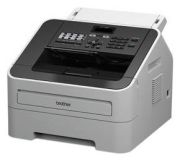
- Plain paper fax machines
- Multifunction printers with fax support
- Office all-in-one devices with print, scan, copy and fax functions
For most workplaces, a plain paper fax or multifunction printer with fax support is the better fit. These are easier to use in a modern office and usually make more sense than older specialist fax formats.
Thermal fax machines and older technologies
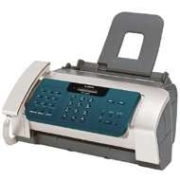
Older fax types that rely on thermal paper or thermal transfer systems are now more of a legacy technology than a mainstream buying option. They may still exist in older offices, but they are less practical for most buyers than plain paper machines.
If you still need fax functionality, it is generally better to look for:
- Plain paper printing
- Clear document feeding
- Simple transmission reports
- Easy paper replacement
- Straightforward office integration
Plain paper fax machines and multifunction devices
A plain paper fax prints onto standard office paper and is usually the most practical format if faxing is still required. In many cases, this function is built into a multifunction office printer, which can also handle:
- Printing
- Scanning
- Copying
- Faxing
This makes a multifunction device a much more sensible choice for many UK offices, especially if space is limited and you already need print and scan functions.
What should you look for when buying?
If you do need a fax-capable machine, focus on practical office use rather than outdated fax-only features.
Important buying points include:
- Plain paper support
- Automatic document feeder
- Clear print quality
- Transmission reporting
- Ease of use
- Multifunction capability
- Compatibility with your office phone setup
- Running costs such as toner, ink or consumables
For many UK small businesses, a multifunction printer with fax support will usually be the most efficient option, especially if print, scan and copy functions are already needed.